
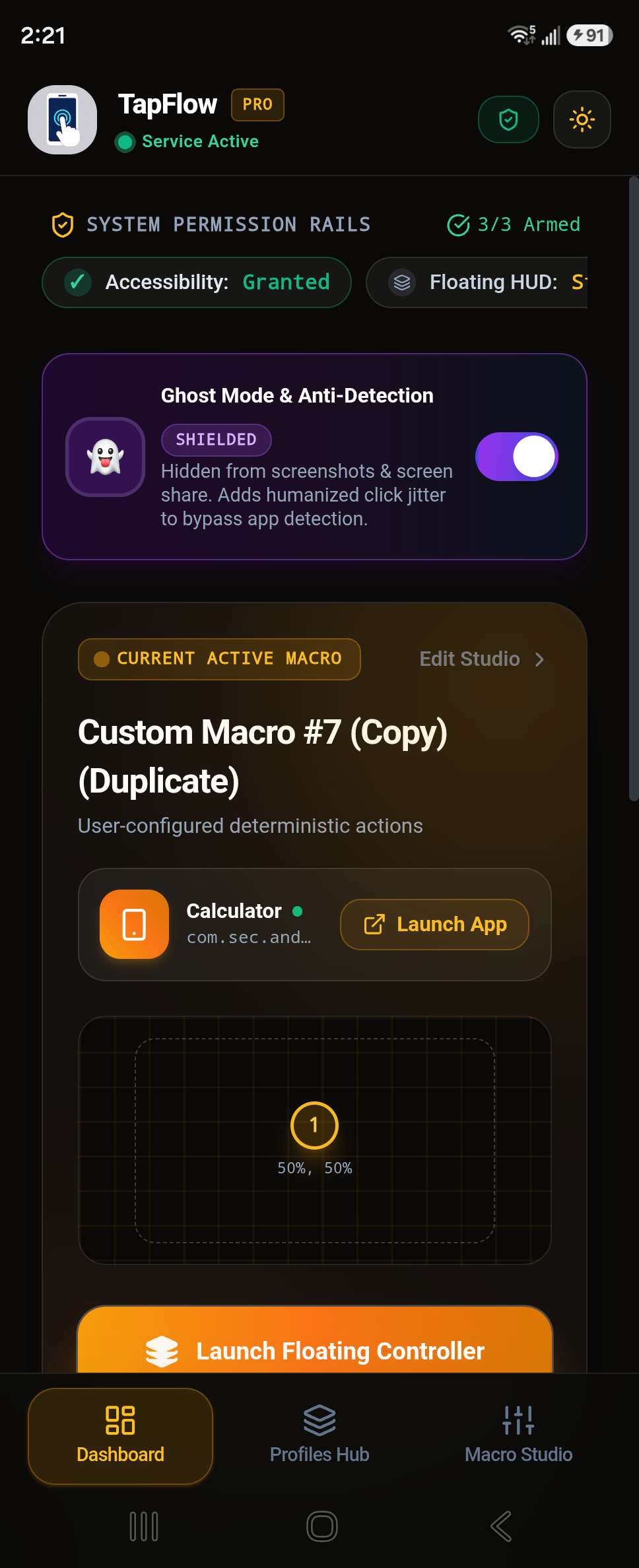
Watch TapFlow in Action: Speed & Stealth
See how seamlessly you can drop multi-target pins, configure 1ms speeds, and activate stealth Ghost Mode with zero root on Android.

Engineered for Extreme Speed, Stealth & Reliability.
Every feature in TapFlow is crafted for power users who demand deterministic execution without ads, lag, or invasive system permissions.
Ultra-Fast Millisecond Precision
Configure click intervals from 1ms up to several minutes. Unleash blistering 1,000+ CPS (Clicks Per Second) for high-intensity gaming, tap-tap battles, and rapid checkout tasks.
Stealth Ghost Mode (Anti-Detection)
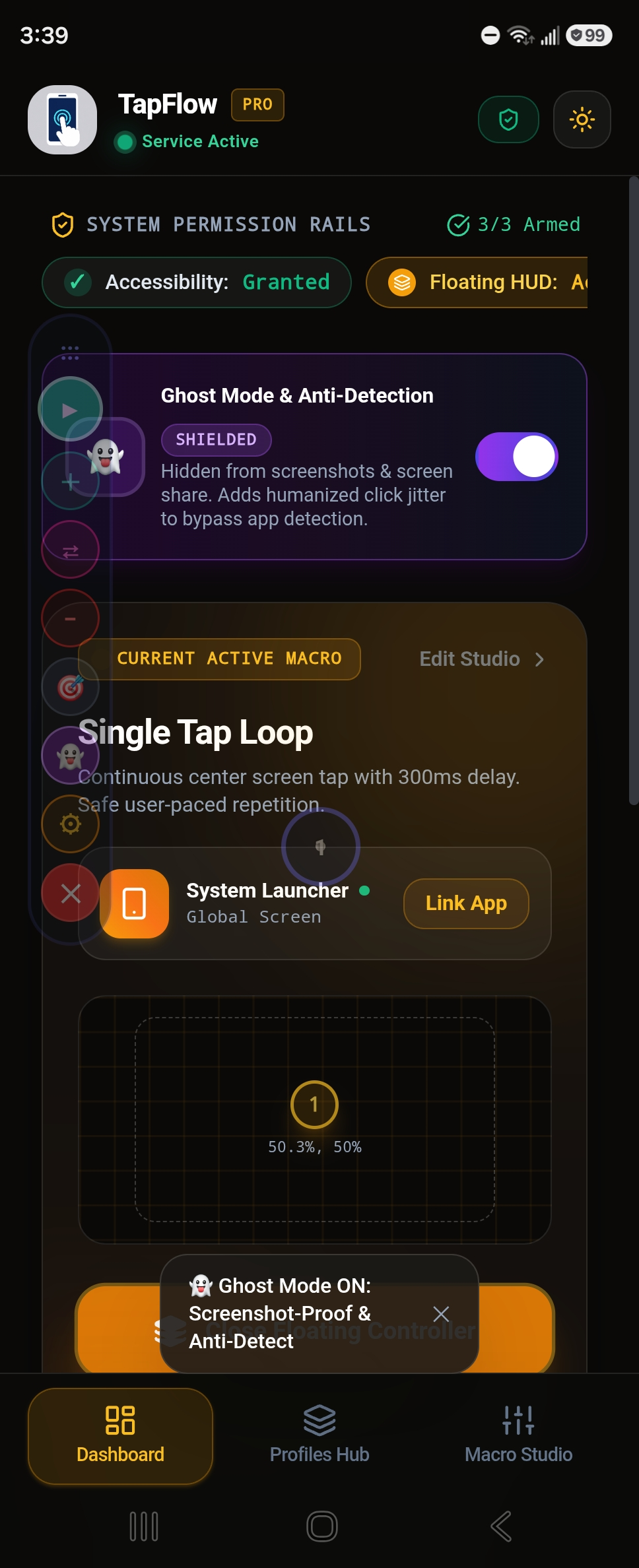
Bypass in-game macro detection algorithms. TapFlow conceals the overlay from screen captures, screen-sharing tools, and introduces randomized micro-jitter (±15ms delay, ±3px offset) to simulate human touch.
Multi-Point Coordinated Sequences
Drop numbered target pins anywhere on the screen. Chain individual tap delays, click durations, and custom loop repetitions across complex multi-step workflows.
Minimalist Floating HUD Controller
A sleek, draggable on-screen controller dock. Start, pause, append new target pins, or switch to Ghost Mode without leaving your game or target app.
Continuous Curved Swipe Macros
Automate smooth vertical and horizontal swipes. Perfect for hands-free video feeds (Shorts/Reels/TikTok), automated reading, and multi-finger gesture simulation.
Hardware Kill-Switch (Volume Down)
Safety first. Pressing the physical Volume Down button instantly aborts all macro touches immediately. You are always in 100% complete command of your phone.
Tired of Getting Banned? Meet Ghost Mode.
Standard auto-clickers fail because they click at mathematically identical intervals (e.g. exactly 50.00ms) on exact single-pixel coordinates. Game anti-cheat engines flag this in seconds. TapFlow solves this with dual-tier stealth architecture.
Humanized Gaussian Click Jitter
Injects natural ±15ms time fluctuations and subtle ±3px randomized micro-offsets, mimicking natural human finger fatigue and organic fingertip variance.
Screenshot & Screen-Share Invisibility
When Ghost Mode is enabled, the floating HUD bar and target pointer rings vanish from screenshots and live stream screen sharing, keeping your gameplay recording 100% clean.
Zero Background Keystroke Logging
Unlike shady APKs that require root or invasive network permissions, TapFlow functions entirely inside local Android Accessibility memory. Your passwords, accounts, and chats remain 100% private.
How Fast Can You Tap vs TapFlow?
Test your manual fingertip click speed in 5 seconds, or simulate TapFlow’s 1,000+ CPS engine with Ghost Mode randomized jitter.
Human fingers get tired after 30 seconds. TapFlow can run for hours with zero fatigue and 100% precision.
100% Free • No RootWhy Gamers & Automators Switch to TapFlow.
See how TapFlow compares directly against legacy auto-clickers in speed, stealth, and daily usability.
| Feature Comparison | ⚡ TapFlow PRO | OP Auto Clicker | QuickTouch | Macrorify |
|---|---|---|---|---|
| Stealth Ghost Mode (Anti-Detection) | ||||
| Sub-Millisecond 1ms Tapping (1,000+ CPS) | ||||
| Humanized Gaussian Click Jitter | ||||
| Hardware Volume-Down Kill Switch | ||||
| Zero Full-Screen Video Ads | ||||
| No Root Required (Android 7.0–15) | ||||
| 100% Local DataStore Privacy (Zero Tracking) |
How TapFlow Works in 30 Seconds.
No complicated programming, no scripts to compile. Just drop your points and let TapFlow automate the rest.
Enable Accessibility & Overlay
Grant native Android Accessibility and Display Over Other Apps permissions through our transparent 10-second onboarding wizard. Zero root required.
Drop Target Pins & Set Delays
Open your favorite game or app. Tap the floating HUD dock to drop single or multi-target pins anywhere on screen. Adjust click frequency from 1ms up.
Engage Ghost Mode & Press Play
Hit the Play button to start automated tapping. Toggle Ghost Mode to hide the overlay from recordings and activate anti-detection click jitter. Abort anytime via Volume Down.
In-Depth Guides, Tutorials & Benchmarks
Written by Android automation engineers. Everything you need to know about no-root auto clicking, anti-detection techniques, and mobile gaming performance.
Best Auto Clicker for Roblox Mobile: Anti-Ban & AFK Farming
Learn how to bypass the 20-minute AFK kick in Blox Fruits, Pet Simulator 99, and Blade Ball using Ghost Mode randomized jitter.
OP Auto Clicker Android: 2026 Comparison & Mobile Alternative
Searching for OP Auto Clicker 3.0 on Android? See why legacy APK clones fail and how TapFlow provides 1,000+ CPS natively.
How to Use an Auto Clicker on Android (Complete Beginner Guide)
Step-by-step masterclass on granting Accessibility safely, setting up multi-target pins, and fixing background battery kills.
Fastest Auto Clicker for Android: Achieving 1,000+ CPS Safely
Technical deep-dive on mobile touch digitizer sampling rates, non-blocking coroutines, and laboratory CPS benchmark tests.
Got Questions? We've Got Answers.
Everything you need to know about speeds, permissions, safety guarantees, and anti-detection.
Ready to Supercharge Your Android Automation?
Get TapFlow for free and experience millisecond clicking, multi-target macros, and undetectable Ghost Mode.